
 Posted by
 If you’re learning Laravel, understanding controllers is a major step forward. Controllers are where your application logic lives, helping you organize your code and keep things clean as your project grows.
In this beginner-friendly guide, you’ll learn what Laravel controllers are, how they work, and how to use them step by step with practical examples.
What is a Controller in Laravel?
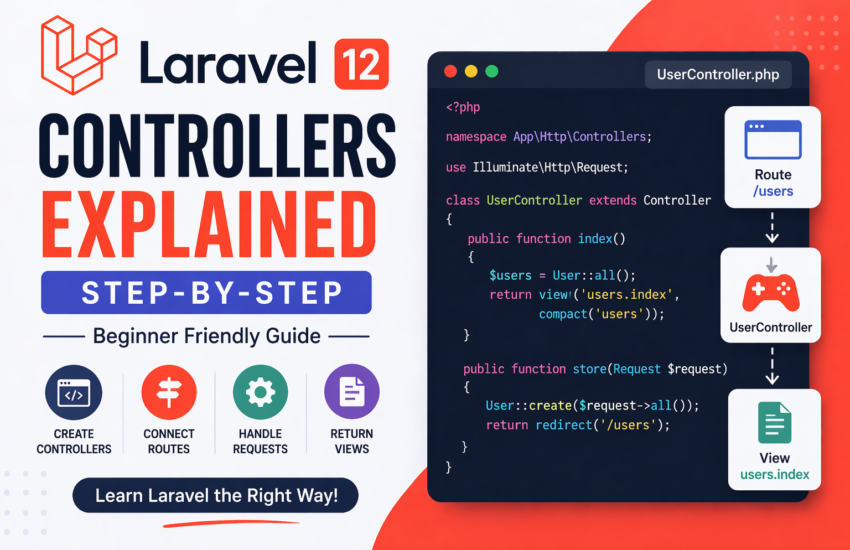
A controller is a class that handles incoming requests and returns responses. Instead of placing all your logic inside routes, controllers help you separate concerns and structure your application properly.
In simple terms:
- Routes define what URL is accessed
- Controllers define what happens when it is accessed
Why Use Controllers?
Using controllers in Laravel offers several advantages:
- Keeps your code organized
- Makes applications easier to maintain
- Promotes reusable logic
- Follows the MVC (Model-View-Controller) pattern
As your project grows, controllers become essential.
Creating a Controller
Laravel makes it easy to create a controller using Artisan (command-line tool).
php artisan make:controller UserController
This command creates a file inside:
app/Http/Controllers/UserController.php
Basic Controller Example
Here’s a simple controller:
namespace App\Http\Controllers;

use Illuminate\Http\Request;

class UserController extends Controller
{
    public function index()
    {
        return "User List Page";
    }
}
Connecting Controller to a Route
To use the controller, you need to define a route.
use App\Http\Controllers\UserController;

Route::get('/users', [UserController::class, 'index']);
Now, visiting /users will trigger the index() method.
Passing Data from Controller to View
Controllers often return views with data.
public function index()
{
    $users = ['John', 'Jane', 'Mark'];
    return view('users.index', compact('users'));
}
In your Blade view:
@foreach($users as $user)
    <p>{{ $user }}</p>
@endforeach
Resource Controllers (CRUD Made Easy)
Laravel provides resource controllers to handle common CRUD operations.
Create one using:
php artisan make:controller PostController --resource
This generates methods like:
- index() – show all records
- create() – show form
- store() – save data
- show() – display one record
- edit() – show edit form
- update() – update record
- destroy() – delete record
Resource Route Example
Route::resource('posts', PostController::class);
This single line automatically creates multiple routes for your application.
Using Middleware in Controllers
You can protect your controller using middleware.
public function __construct()
{
    $this->middleware('auth');
}
This ensures only authenticated users can access the controller.
Dependency Injection in Controllers
Laravel allows you to inject dependencies directly into your methods.
use Illuminate\Http\Request;

public function store(Request $request)
{
    return $request->input('name');
}
This makes handling form data simple and clean.
Practical Example: Simple User Controller
class UserController extends Controller
{
    public function index()
    {
        return "All Users";
    }

    public function show($id)
    {
        return "User ID: " . $id;
    }

    public function store()
    {
        return "User Created";
    }
}
Routes:
Route::get('/users', [UserController::class, 'index']);
Route::get('/users/{id}', [UserController::class, 'show']);
Route::post('/users', [UserController::class, 'store']);
Common Beginner Mistakes
- Forgetting to import the controller class
- Misspelling method names
- Not connecting routes properly
- Putting too much logic inside routes instead of controllers
Final Thoughts
Controllers are a core part of Laravel development. They help you organize your logic, keep your code clean, and make your application easier to scale.
If you’re serious about learning Laravel, mastering controllers is essential. Start with simple examples, practice regularly, and gradually move into advanced concepts like resource controllers and middleware.
Once you understand controllers, you’ll have a much stronger foundation for building real-world applications.