
 Posted by
 If you have used ChatGPT, Claude, or Gemini, you already know how useful a large language model can be. An AI agent goes one step further: it does not only answer questions — it can plan, use tools, and take actions toward a goal.
This guide explains what an AI agent is, how agentic AI works under the hood, and what developers should keep in mind when building one. No framework lock-in — just the ideas you need to ship something real.
What Is an AI Agent?
An AI agent is a system that uses an LLM (or similar model) to decide what to do next, then acts in the world through tools — APIs, databases, browsers, code runners, and more — until a goal is reached or it decides to stop.
In plain terms:
- A chatbot talks.
- An agent works.
Give a chatbot: “Summarize this PDF.” It writes a summary if you paste the text.
Give an agent: “Find our Q3 sales PDF, summarize the key metrics, and post the summary in Slack.” It may search your files, extract numbers, call the Slack API, and report back when done.
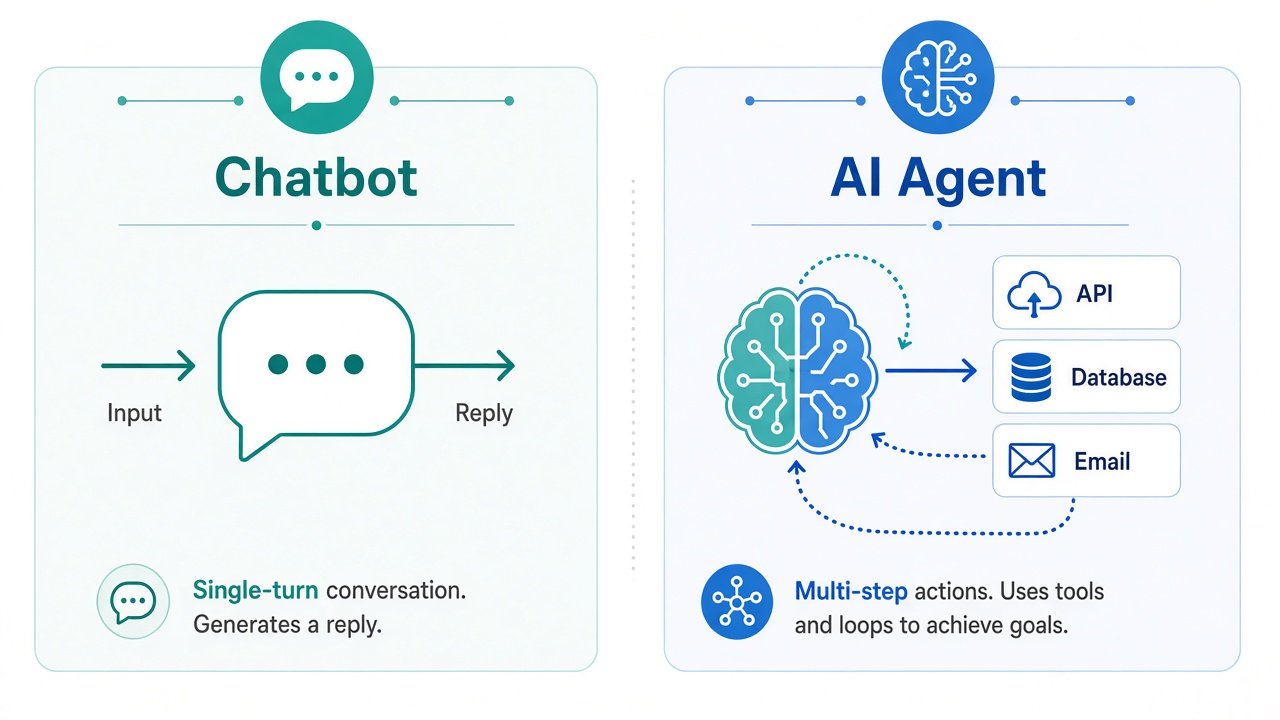
That loop of reason → act → observe → repeat is the heart of agentic AI.
AI Agent vs Chatbot vs Copilot
These terms get mixed up a lot. Here is a practical way to separate them:
| System | Main job | Autonomy | Typical example |
|---|---|---|---|
| Chatbot | Answer questions in conversation | Low — waits for every message | Support FAQ bot |
| Copilot | Suggest or draft while a human stays in control | Medium — human approves | Code autocomplete, writing assistant |
| AI agent | Pursue a goal using tools and multi-step plans | High — can run a sequence of actions | Research agent, ops runbook bot |
Many products blend these. A coding assistant can feel like a copilot for one request and like an agent when it explores a repo, runs tests, and opens a PR.
The Building Blocks of an AI Agent
Almost every agent you see in production is made of the same core pieces. Understanding them helps you debug and design better systems.
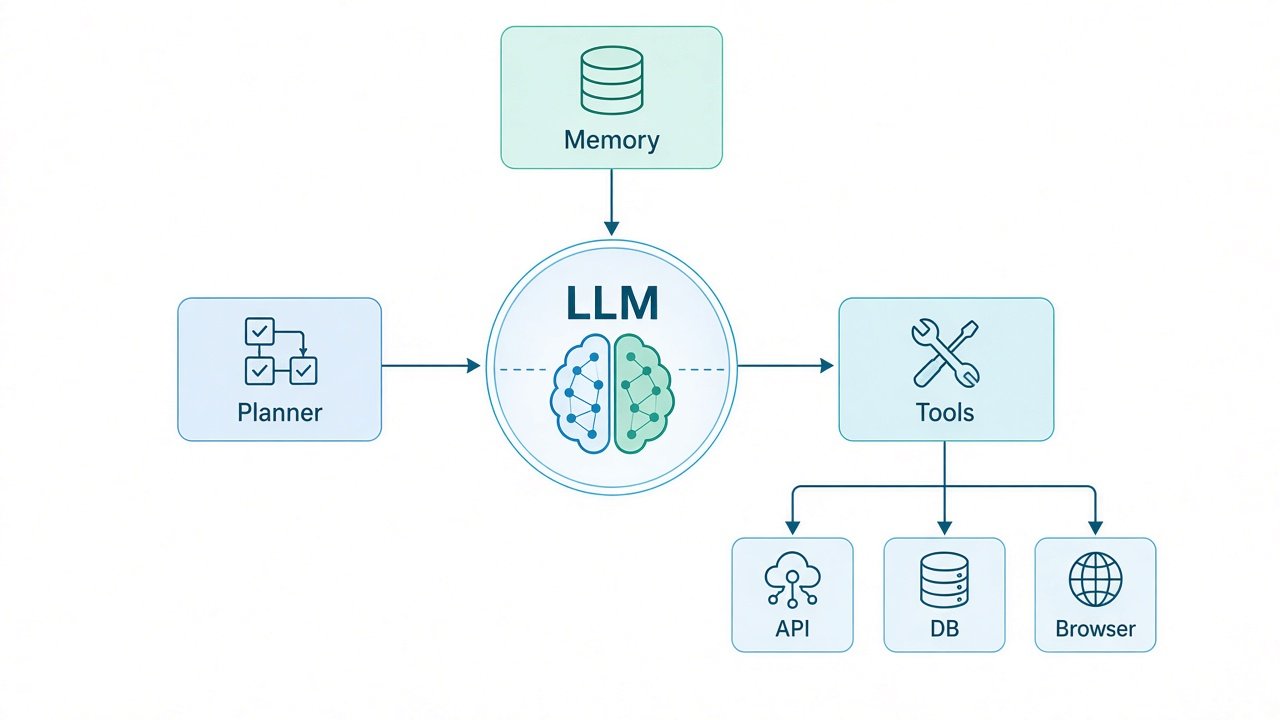
1. The model (the “brain”)
The LLM reasons about the goal, chooses tools, and writes the next step. Stronger models usually plan better, but they are still probabilistic — they can hallucinate tool arguments or invent APIs that do not exist. Your design must assume mistakes will happen.
2. Tools (the “hands”)
Tools are functions the agent can call: search_docs, query_database, send_email, run_shell, and so on. Good tools are:
- Narrow — one clear job per tool
- Typed — schemas for inputs and outputs
- Safe — auth, rate limits, and allowlists built in
Without tools, you mostly have a chatbot. With tools, the model can affect real systems.
3. Memory
Agents need context across steps:
- Short-term / working memory — the current conversation and tool results
- Long-term memory — user prefs, past tickets, project facts (often via a vector store or database)
- Episodic traces — logs of what the agent tried, for debugging and evals
If memory is messy, the agent forgets constraints mid-task or repeats the same failed call.
4. Planning and control
Some agents improvise every step. Others use an explicit planner:
- Break the goal into a checklist
- Execute one step at a time
- Re-plan when a tool fails
You can also add hard rules: max steps, budgets, required human approval for destructive actions, and “stop if confidence is low.”
How the Agentic Loop Works
At runtime, most agents follow a simple loop:
- Perceive — read the user goal and current state
- Reason — decide the next action (often via tool calling)
- Act — run a tool or return a final answer
- Observe — feed the tool result back into context
- Repeat — until done, blocked, or out of steps
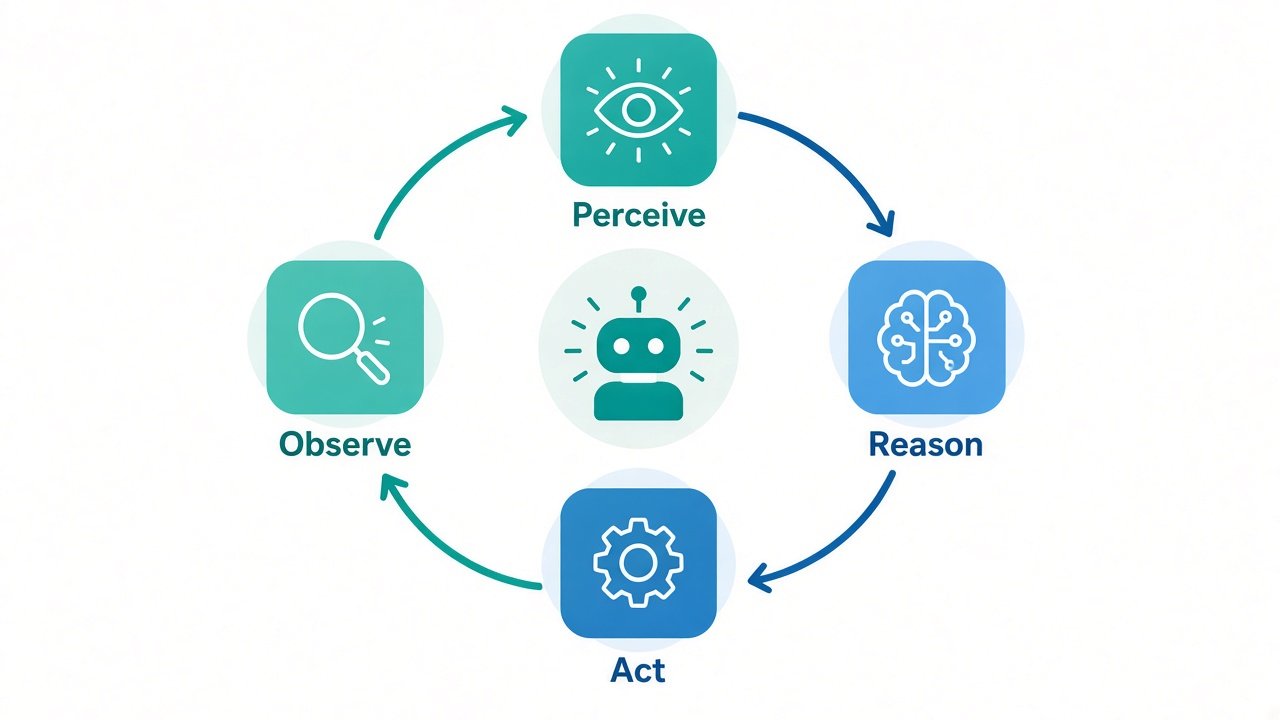
Frameworks like LangGraph, the OpenAI Agents SDK, CrewAI, and AutoGen all implement variations of this loop. The names change; the pattern stays the same.
A tiny mental model of one step looks like this:
// Pseudocode — one turn of an agent loop
const decision = await llm.decide({ goal, history, tools });

if (decision.type === "final_answer") {
  return decision.text;
}

const result = await runTool(decision.tool, decision.args);
history.push({ tool: decision.tool, result });
// loop continues with updated history
That is enough to understand production systems: the hard part is not the loop — it is reliable tools, guardrails, and evaluation.
Common Types of AI Agents
You will hear many labels. These are the ones that show up most in real products:
- Tool-using agents — one model plus a toolbox (search, CRUD, tickets)
- Workflow / graph agents — fixed steps with LLM nodes where judgment is needed
- Multi-agent systems — specialist agents (researcher, coder, reviewer) coordinated by a supervisor
- Computer-use / browser agents — click and type in UIs when APIs are missing
- Coding agents — edit files, run tests, and iterate on a codebase
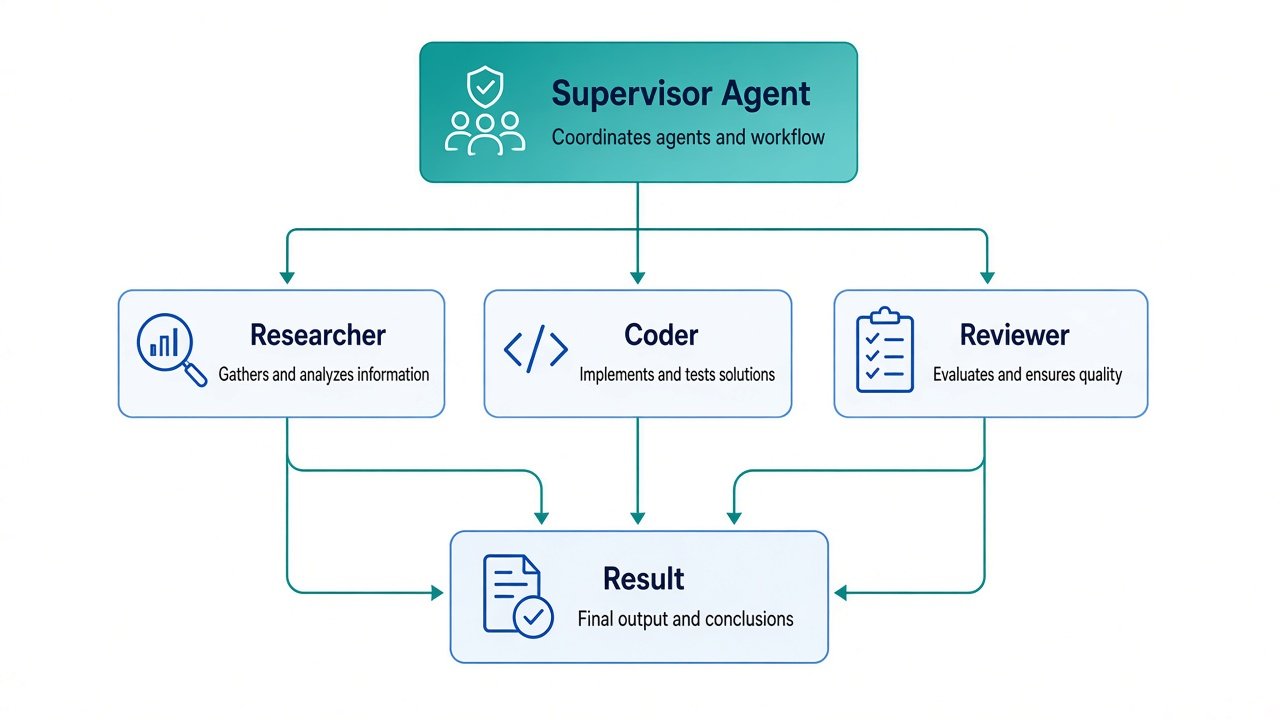
Start simple. A single tool-using agent with 3–5 solid tools often beats a fancy multi-agent graph that is hard to debug.
When Should Developers Use an Agent?
Agents shine when the task is:
- Multi-step — several tools or decisions in sequence
- Open-ended — the exact path is not known ahead of time
- Tool-heavy — success depends on calling real systems
Prefer a plain LLM call or a fixed workflow when:
- One prompt is enough (summarize, classify, rewrite)
- The steps never change (always validate → transform → save)
- Mistakes are costly and you cannot add strong guardrails yet
Rule of thumb: if you can write it as a deterministic pipeline, do that first. Add agentic behavior only where the model must choose among paths.
Practical Tips for Building Reliable Agents
Here are habits that separate demos from shippable systems:
- Design tools like APIs — clear names, JSON schemas, helpful error messages the model can recover from.
- Cap the loop — max steps, max tokens, max dollars. Infinite loops are expensive.
- Log every tool call — you cannot improve what you cannot inspect.
- Add human-in-the-loop for deletes, payments, emails, and production deploys.
- Evaluate with real tasks — a golden set of goals plus expected outcomes beats vibes.
- Prefer retrieval over guessing — ground answers in docs, tickets, or database rows.
- Fail loudly — if a tool returns garbage, stop and ask the user instead of improvising.
Security matters too. Treat the model as an untrusted planner: never give it raw credentials, unlimited shell access, or write permissions it does not need.
Quick Mental Checklist Before You Build
Ask yourself:
- What is the goal in one sentence?
- Which tools are required — and which are forbidden?
- What does success look like (and how will you measure it)?
- Where must a human approve?
- What is the fallback when the agent gets stuck?
If you can answer those, you are ready to prototype — whether you use a framework or a thin custom loop.
Wrapping Up
An AI agent is not magic. It is an LLM wrapped in a control loop, given tools, memory, and clear limits so it can pursue a goal instead of only chatting.
For developers, the winning approach is usually boring on purpose: small toolkits, strong schemas, short loops, solid logging, and evals that match real user jobs. Start with a single agent that does one workflow well. Expand to multi-agent only when you feel the pain of a monolith prompt.
Once those fundamentals click, frameworks and products make a lot more sense — and you will know when agentic AI is the right tool versus a simple prompt or a plain workflow.